
Plugins · Social

LinkedIn + viewneo

Connect your LinkedIn company profile to viewneo so updates, achievements, and vacancies appear on your screens in real time.

What the LinkedIn plugin does

The LinkedIn plugin is a corporate social media integration that connects your company’s LinkedIn profile to viewneo and broadcasts updates, company news, and job offers directly onto your digital displays. Posts reach your screens without any manual step between publishing on LinkedIn and appearing in the office lobby, reception area, or trade-show display.

The plugin supports both single-post and multi-post display modes, giving you control over which content takes priority. In single-post mode, one important update — an award win, a major partnership announcement, or a newly published case study — can occupy the full screen for the duration you choose. In multi-post mode, a rolling sequence of recent activity gives visitors and employees a broader view of the company’s LinkedIn presence.

Each article also generates a QR code on screen, so employees or visitors can scan directly to the full post without having to search for it. This is particularly effective at trade shows or partner events, where attendees can follow up on a product announcement they have just seen on the display. For companies with a broader social media mix, the Facebook plugin and Instagram plugin can run in the same playlist alongside LinkedIn content.

How it works

  1. Connect your company profile — In the viewneo CMS, add the LinkedIn plugin to a playlist and enter your LinkedIn company page URL.
  2. Choose display mode — Select ‘Single contribution’ for one featured post or ‘Multiple posts’ and set how many recent posts to show.
  3. Set playback duration — Define how long each post is displayed before the playlist advances; this applies per post when multiple posts are shown.
  4. Assign and publish — Assign the playlist to your screens; content updates automatically as you post on LinkedIn.

Example use cases

  • Corporate offices — Stream your company’s LinkedIn feed to reception and corridor displays so employees and visitors stay informed about news and achievements.
  • Trade shows — Highlight recent product announcements or industry awards from LinkedIn on event screens to reinforce your brand presence.
  • Recruiting — Feature open positions from your LinkedIn company page on in-office displays to encourage referrals from current employees.
  • Internal communications — Use the single-post mode to pin a CEO message or company milestone on screens throughout the building during an important period.

Compatible with

  • viewneo Professional and viewneo Enterprise — bookable per player, transferable to other players
  • LinkedIn company profiles (LinkedIn API)
  • Single-post spotlight

    Use the 'Single contribution' mode to pin one important post — a product launch, award, or announcement — front and centre on your displays.

  • Multiple posts at once

    The 'Multiple posts' mode shows a configurable number of recent posts; playback duration per post is set in the CMS playlist.

  • QR code per article

    Each post automatically includes a QR code so viewers can scan and read the full article on their smartphone.

  • Portrait and landscape support

    The plugin adapts to the screen rotation configured in the viewneo CMS without additional setup.

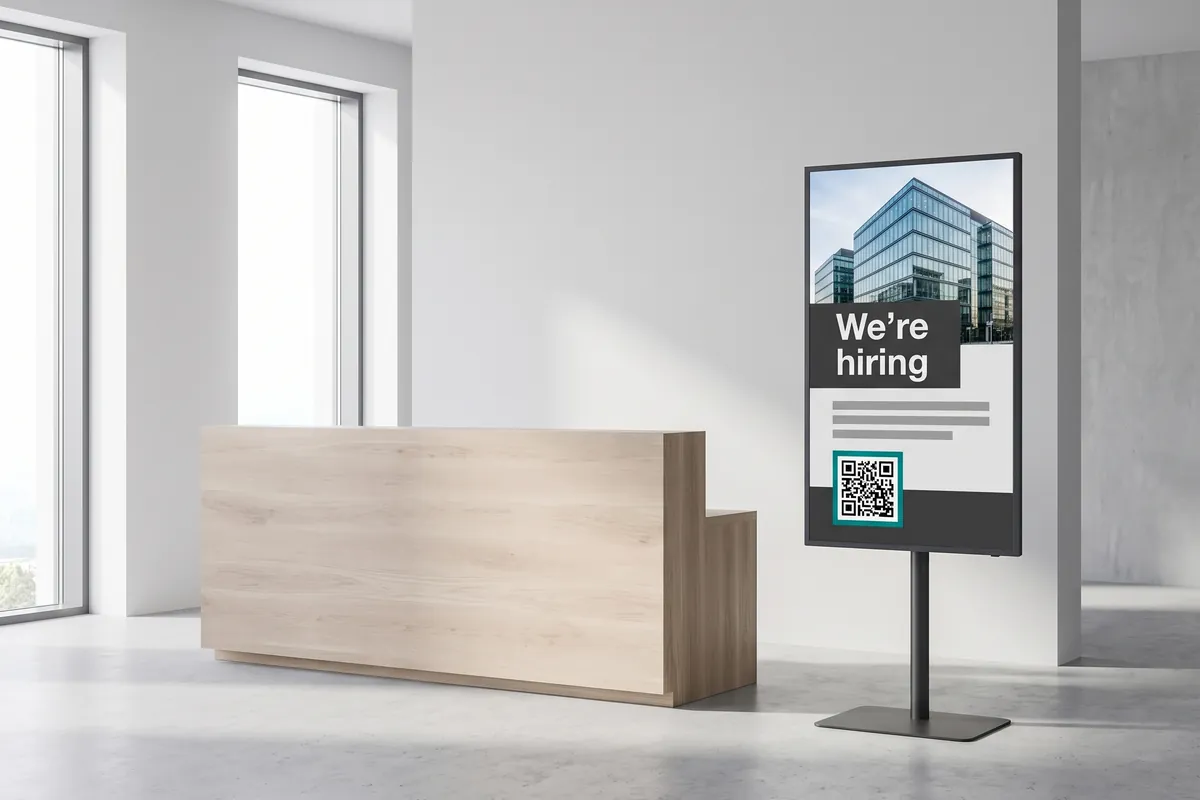
A portrait reception display shows a company post headed We're hiring with a building photo and a QR code.

On screen

Your LinkedIn company updates, live on every display

Posts reach your office, reception, and event screens the moment you publish — with a QR code on every article so viewers can read more on their phone.

  • Single-post spotlight — pin one important update to the full screen
  • Multiple posts mode shows a rolling sequence of recent activity
  • QR code per article lets viewers scan directly to the full post

Frequently asked questions

What does the LinkedIn plugin cost?
$2.20 per player and month or $22.00 per player and year — depending on whether your subscription is billed monthly or yearly. The plugin can be booked from viewneo Professional, is enabled free of charge during the 30-day trial and can be re-assigned to another player at any time. All prices are on the pricing page.
Do I need an existing LinkedIn account to use this plugin?
Yes. Only company profiles can be connected — personal LinkedIn profiles are not supported. The viewneo Super User must also hold admin rights in the LinkedIn company accounts to be integrated.
How is data shared between LinkedIn and viewneo?
viewneo retrieves publicly available post data from the LinkedIn API on your behalf. The lawful basis is your legitimate interest in displaying your own published content (GDPR Art. 6(1)(f)). Data is retrieved from LinkedIn's servers, which are operated by LinkedIn Ireland Unlimited Company (EU entity) with infrastructure in the US; LinkedIn's Standard Contractual Clauses (SCCs) apply as the transfer mechanism where data leaves the EEA. No visitor personal data is collected or stored by this plugin.
Preview of the new contboxx home page with a stele showing the weather

contboxx launches on 1 November

The new content platform contboxx goes live at contboxx.com on 1 November 2026 — with pricing, channels and sign-up. Here is a first look at the home page.