Plugins · News

Live Ticker + viewneo

Add a scrolling Live Ticker to any viewneo screen — show custom text, RSS feeds, or breaking news at the top or bottom of your displays.

What the Live Ticker plugin does

The Live Ticker plugin is a scrolling text overlay for digital signage screens managed by viewneo. It runs on top of your existing playlist, so urgent updates, promotions, or news headlines remain visible without displacing the main content. The ticker displays either a custom message typed directly in the CMS, or content pulled automatically from any public RSS feed.

Because the ticker runs independently of the main playlist, you can update the message at any time without touching the rest of your scheduled content. This makes it well-suited to time-sensitive announcements — a schedule change, a flash sale, a building alert — that need to reach everyone on screen right away. For locations that also run branded video, the YouTube plugin can play in the same playlist while the ticker overlays it continuously.

How it works

  1. Add the plugin — In the viewneo CMS, add the Live Ticker to a playlist and choose ‘Custom text’ or ‘RSS feed’.
  2. Configure content and appearance — Enter your text or RSS feed URL; set position (top/bottom), scroll direction, background color, and font color.
  3. Assign and go — Assign the playlist to your screens; the ticker appears as a continuous overlay on all assigned displays.

Example use cases

  • Corporate offices — Keep employees informed about upcoming events, schedule changes, or company announcements via a persistent desk or corridor ticker.
  • Educational institutions — Broadcast room-change notices or timetable updates to screens in corridors and common areas so students see them immediately.
  • Restaurants — Highlight seasonal specials or upcoming events scrolling at the bottom of a menu display to prompt purchases without interrupting the main content.

Compatible with

  • viewneo Professional and viewneo Enterprise — bookable per player, transferable to other players
  • Any public RSS feed URL
  • Custom text or RSS feed

    Write a one-off message or connect any RSS feed — news, sports, internal announcements — and it scrolls continuously on screen.

  • Flexible positioning

    Place the ticker at the top or bottom of the screen, and choose left-to-right or right-to-left scrolling to suit your audience.

  • Custom colors

    Set your own background and text colors to match your brand or make the ticker stand out against underlying content.

  • Independent of main content

    The ticker runs as an overlay on top of your playlist, so important messages are visible without interrupting the main display.

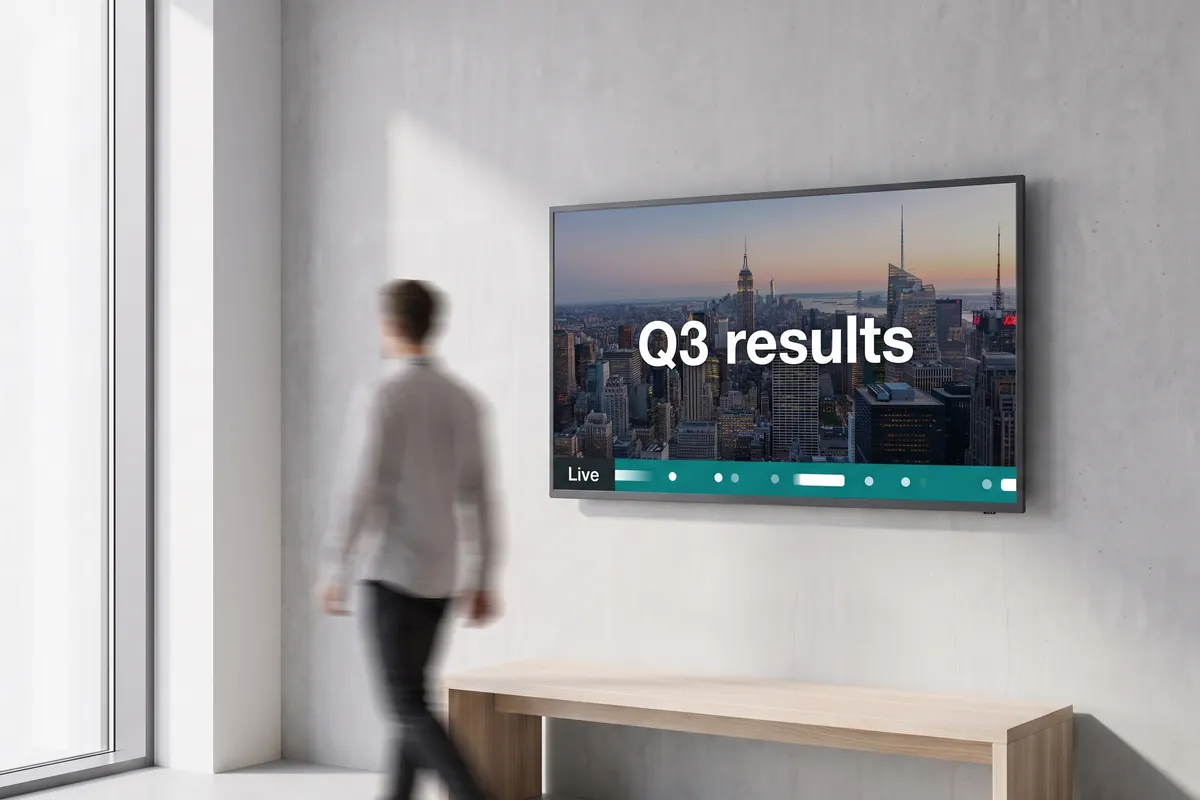
An office foyer display shows a news slide with a teal live ticker band running along the bottom.

On screen

Scrolling updates on top of any playlist

Audiences see a continuously moving text band at the top or bottom of the display — running over videos, images, or any other playlist content without interrupting it.

  • Custom text or live RSS feed, refreshed continuously
  • Top or bottom position, left-to-right or right-to-left scroll
  • Brand colors for background and text

Frequently asked questions

What does the Live Ticker plugin cost?
$0.80 per player and month or $8.00 per player and year — depending on whether your subscription is billed monthly or yearly. The plugin can be booked from viewneo Professional, is enabled free of charge during the 30-day trial and can be re-assigned to another player at any time. All prices are on the pricing page.
Do I need any third-party account to use the Live Ticker plugin?
No. Custom text tickers require no external account. For RSS feeds, you only need the public URL of the feed — no login or API key is required.
How is data handled when using an RSS feed with the Live Ticker plugin?
When an RSS feed is configured, viewneo fetches the feed content from the feed's public URL at scheduled intervals on your behalf. The lawful basis is your legitimate interest in displaying public news content (GDPR Art. 6(1)(f)). RSS feeds from external providers may be hosted on servers outside the EEA; where this applies, the provider's own transfer mechanism (typically SCCs or DPF participation) governs that transfer. No visitor personal data is collected or processed by this plugin.
Preview of the new contboxx home page with a stele showing the weather

contboxx launches on 1 November

The new content platform contboxx goes live at contboxx.com on 1 November 2026 — with pricing, channels and sign-up. Here is a first look at the home page.