

Plugins · Interactive

Website Interaction + viewneo

A single touch takes visitors from your running playlist to a website — and the screen returns automatically when they walk away.

What the Website Interaction plugin does

The Website Interaction plugin for viewneo is a touch-triggered web overlay that turns any touch-enabled display into a two-way channel. Your playlist runs as normal; the moment a visitor touches the screen, it opens a website of your choice for direct interaction. When they walk away, the idle timer fires and the playlist resumes on its own — no staff action needed.

This closes the gap between advertising and conversion. A restaurant can display its menu as signage and let guests browse or order on the same screen. A retailer can run promotional content and let shoppers tap through to an online shop mid-playlist. If you want more precise control over which content areas are tappable, the Touch Elements plugin lets you define exact interactive regions within your templates rather than triggering a full web overlay.

How it works

  1. Configure the target URL — in the Website Interaction plugin settings inside viewneo, enter the website address visitors should see when they touch the screen.
  2. Set the idle timeout — choose how many seconds of inactivity trigger an automatic return to the playlist.
  3. Publish to your touch-enabled displays — once the configuration is pushed, any touch opens the website. When no interaction is detected for the defined period, the playlist resumes automatically.

Example use cases

  • Restaurants and cafes — guests touch the display to browse the full menu or place an order, then the screen returns to promotional content between uses.
  • Hotels — guests interact with a lobby screen to book spa treatments, restaurant tables, or shuttle services directly on the hotel website.
  • Shopping centres — a directory or wayfinding website launches on touch so visitors can find the shop they need, while advertising continues between interactions.
  • Fashion boutiques — visitors touch to register for a loyalty programme or claim a discount code, then the display returns to the current campaign.

Compatible with

  • Touch-enabled displays with a compatible viewneo player
  • viewneo Professional and viewneo Enterprise — bookable per player, transferable to other players
  • Touch-triggered website overlay

    When a visitor touches the display, the current playlist pauses and a pre-configured website opens, letting them interact freely on screen.

  • Automatic playlist resume

    After a configurable idle period with no interaction, the screen closes the web session and returns to the regular playlist automatically.

  • Any URL, fully interactive

    Point the plugin at any website — an online shop, a booking form, a menu, a newsletter sign-up — and visitors can complete real actions directly on the display.

  • No interaction state interference

    Your playlist content continues unchanged behind the web session; returning to it requires no staff involvement.

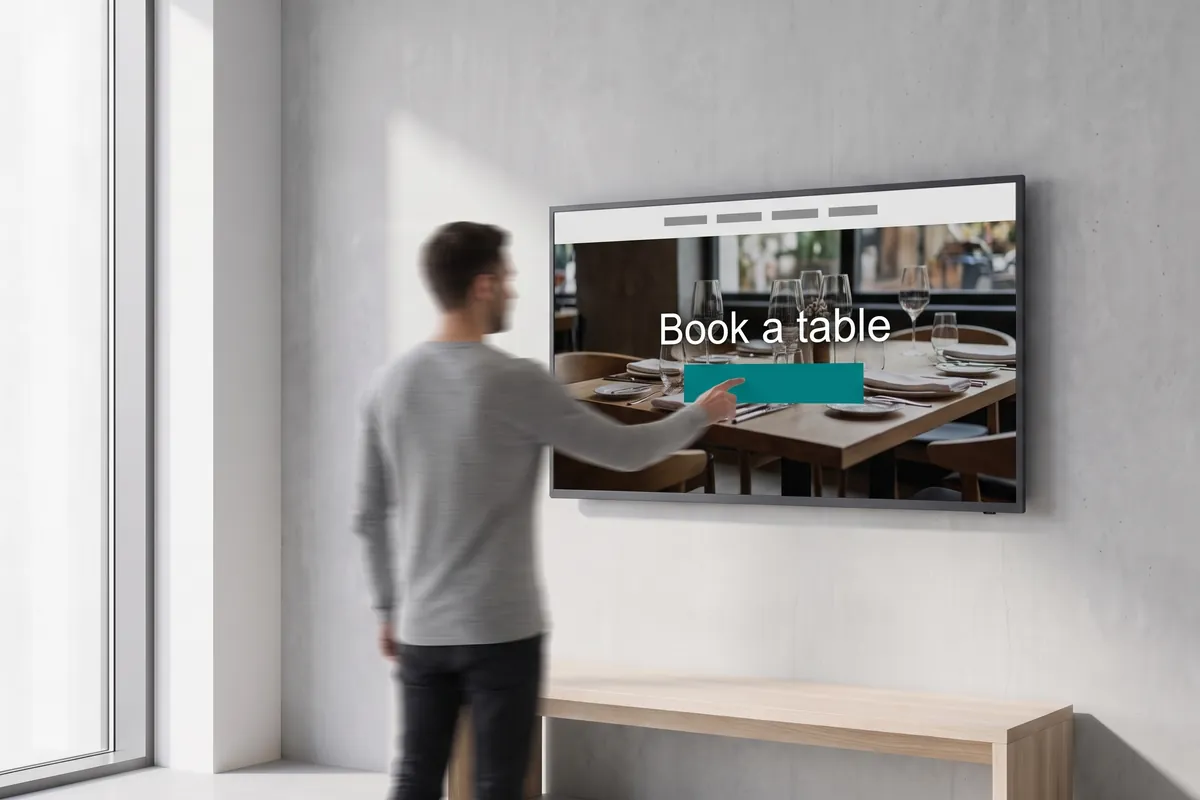
A hotel guest touches a lobby display showing a restaurant web page headed Book a table.

On screen

One touch opens a website — the playlist resumes on its own

Your playlist runs as normal. The moment a visitor touches the screen, it opens the website you have configured. When they walk away, the idle timer fires and the playlist resumes from where it paused — no staff action needed.

  • Playlist pauses on touch, web session opens to any URL you configure
  • Configurable idle timeout returns the screen to the playlist automatically
  • Visitors can browse, purchase, or register on the live website directly on the display

Frequently asked questions

What does the Website Interaction plugin cost?
$3.60 per player and month or $36.00 per player and year — depending on whether your subscription is billed monthly or yearly. The plugin can be booked from viewneo Professional, is enabled free of charge during the 30-day trial and can be re-assigned to another player at any time. All prices are on the pricing page.
What hardware do I need for Website Interaction?
A touch-enabled display connected to a compatible viewneo player is required. The plugin activates the web overlay on any screen touch, so a touch screen or touch-capable input device must be present.
How does the on-screen website interaction work?
You configure a target URL in the plugin settings inside viewneo. When a visitor touches the screen, the playlist pauses and the browser opens to that URL. The visitor interacts freely — browsing, purchasing, registering. Once no touch is detected for the defined idle period, the plugin closes the session and the playlist resumes from where it left off.
Preview of the new contboxx home page with a stele showing the weather

contboxx launches on 1 November

The new content platform contboxx goes live at contboxx.com on 1 November 2026 — with pricing, channels and sign-up. Here is a first look at the home page.