

Plugins · Automation

Zapier + viewneo

Link viewneo to Zapier so content on your screens updates automatically whenever something changes in Google Calendar, Salesforce, Trello or any of 1,000+ connected apps.

What the Zapier plugin does

The Zapier plugin is an automation bridge that connects viewneo to the Zapier platform, giving you access to over 1,000 third-party apps without writing code. Once connected, you create “Zaps” — if-then rules that tell viewneo to change a playlist, push a new slide, or swap a schedule whenever a trigger fires in another tool. viewneo becomes a responsive endpoint in your wider automation workflow.

A practical example: link the Zapier Weather app to viewneo so that when the forecast shows rain, your outdoor screen switches automatically from sunscreen promotions to umbrella offers. The same pattern applies to calendar-driven content (meeting room displays that update from Google Calendar) or data-driven triggers (new announcements that appear on store screens the moment a CRM record changes). For teams that need full programmatic control, the API plugin provides direct REST access.

How it works

  1. Activate the plugin — enable the Zapier plugin in your viewneo account to expose your viewneo workspace as a Zapier app.
  2. Create a Zap — in Zapier, select a trigger app (e.g. Google Calendar) and choose a viewneo action (e.g. switch playlist). No code needed — Zapier’s editor guides you through each step.
  3. Let it run — once the Zap is live, viewneo responds to triggers automatically. Your screens stay current without any manual intervention.

Example use cases

  • Weather-responsive retail — switch between product playlists based on the day’s weather forecast, serving contextually relevant promotions.
  • Meeting room displays — sync room-booking screens with Google Calendar so current meeting details always appear without staff intervention.
  • Event countdowns — trigger a countdown playlist from a Trello card or scheduled CRM event, removing it automatically when the event ends.

Compatible with

  • viewneo Professional and viewneo Enterprise — bookable per player, transferable to other players
  • Zapier (free or paid plans)
  • Google Calendar, Salesforce, HubSpot, Trello, Evernote and 1,000+ other Zapier apps

There is no separate Zapier subscription on the viewneo side: the Zapier integration is included with the API plugin ($4.20 per player/month or $42.00 per player/year). Zapier itself offers a free plan with a limited number of Zaps and paid plans for heavier automation.
  • 1,000+ app connections

    Zapier connects viewneo to Google Calendar, Trello, Salesforce, HubSpot, Evernote and hundreds of other business tools.

  • No coding required

    Zapier uses predefined scripts to cover the most common viewneo API actions — set up automations through a point-and-click interface.

  • If-then automation logic

    Define triggers and actions: when an event fires in one app, viewneo responds by updating a playlist, swapping content or changing a schedule.

  • Always up-to-date screens

    Content updates propagate to your displays automatically, removing the need for manual edits every time data changes.

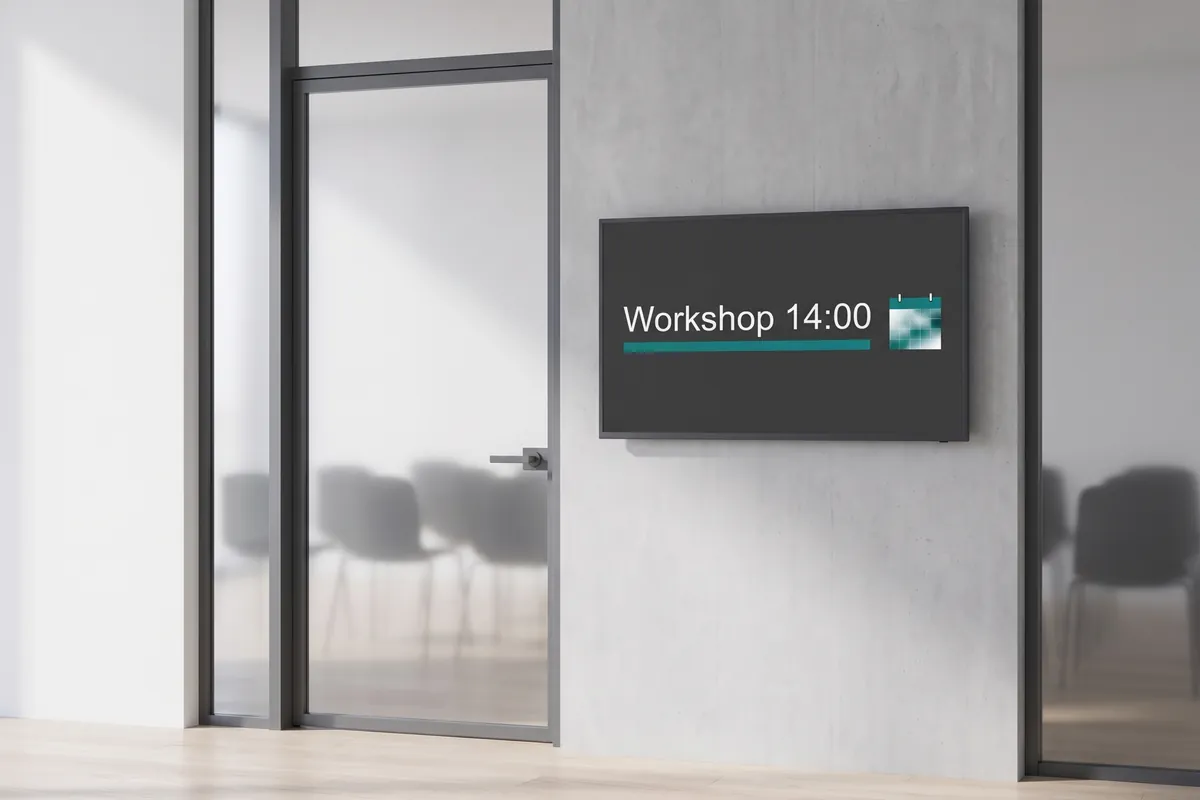
A display beside a workshop room door shows Workshop 14:00, updated automatically from a new calendar entry.

On screen

Content that updates when your data changes

Audiences see playlists that switch automatically based on Zap triggers — weather, calendar events, CRM updates — without any manual editing in the viewneo CMS.

  • If-then logic connects 1,000+ apps to your screen content
  • No code required — configure automations through a point-and-click interface
  • Screens stay current as business data changes throughout the day

Frequently asked questions

What does the Zapier plugin cost?
There is no separate charge on the viewneo side: the Zapier integration is part of the API plugin — $4.20 per player and month or $42.00 per player and year — depending on whether your subscription is billed monthly or yearly. The plugin can be booked from viewneo Professional, is enabled free of charge during the 30-day trial and can be re-assigned to another player at any time. All prices are on the pricing page.
Do I need a Zapier account to use this plugin?
Yes. You need an active Zapier account (free or paid) in addition to your viewneo subscription. The plugin enables the connection between the two platforms.
How is data shared between Zapier and viewneo?
When a Zap fires, Zapier sends an authenticated request to the viewneo API over HTTPS. Only the content or playlist data you specify in the Zap is transmitted. No personal end-user data is shared unless you explicitly include it in your Zap logic.
Preview of the new contboxx home page with a stele showing the weather

contboxx launches on 1 November

The new content platform contboxx goes live at contboxx.com on 1 November 2026 — with pricing, channels and sign-up. Here is a first look at the home page.